

If you’ve been following my blog, you’ve probably noticed that I’ve been exploring and experimenting with several game development tools, including AGK Studio, Godot, GDevelop, and now RPG Maker. With this chronicle, I return to one of my greatest passions. Just as it happened with AGK Studio, RPG Maker was a tool I had been keeping an eye on for several years. A couple of months ago, it finally went on sale on Steam, and I decided it was time to buy it.
What is it?
RPG Maker is a game design and development tool focused on RPGs—Role-Playing Games. https://www.rpgmakerweb.com In this genre, players generally take control of the story’s protagonist, guiding them through the narrative as it unfolds while making decisions along the way. Depending on how complex the game and its decision tree are, those choices may influence how the story develops. That said, most RPGs still follow a fairly defined narrative arc. Some well-known examples include (this is far from an exhaustive list): Zelda

Final Fantasy

Super Mario RPG

Terranigma

Octopath traveler

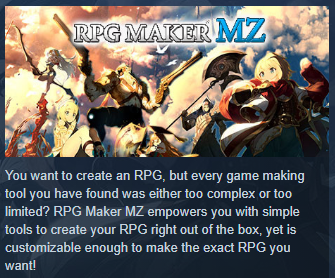
As its name suggests, RPG Maker is a tool specifically designed to create this type of game. Much like GDevelop, it presents itself as an easy-to-use, beginner-friendly solution packed with features and, above all, as a way to build games without requiring programming knowledge.

If you’re interested, here’s the Steam page where you can get it:
MZ is the latest version of RPG Maker and the successor to MV. Although MZ is the newest release, it isn’t simply an update to MV. Previous versions, such as MV and even XP, are still available for purchase. Since I was completely new to the RPG Maker ecosystem—and MZ happened to be the version on sale—that’s the one I chose.
What has my experience been like?
So far, I’ve spent between one and two hours a day over the course of several days, totaling roughly 40 hours by the time I’m writing this chronicle. That includes both completing the introductory course and applying what I learned to the first playable version of the game I want to create. Although RPG Maker is a very approachable tool, it still has a learning curve. If you jump straight into building a game without at least going through the beginner’s guide or watching a few YouTube tutorials, chances are your first impression won’t be a good one. You’ll likely spend a lot of time feeling lost, and that can be discouraging.
The introductory guide I mentioned is organized into progressive stages, with each lesson building upon the previous one. By the end, you’ll have created a very simple game, but one that teaches all the fundamentals—and, I’d say, most of the mechanics people naturally expect from an RPG. You can find the guide here:
Tutorials | RPG Maker | Make A Game!
Although it’s hosted on the official website, the tutorial hasn’t been fully updated to reflect the MZ interface. Around 15% of the screenshots no longer match what you’ll see in the application, but with a bit of patience it’s easy enough to follow along.
If you dedicate about an hour a day, you can probably finish the introductory guide in a week or a week and a half, depending on your pace and how quickly you become familiar with the workflow. Some of the lessons can also be a little confusing because they include screenshots with Japanese text (after all, the software is developed in Japan), but nothing that’s impossible to understand visually.
For example:

Still, don’t let those screenshots discourage you. The written instructions clearly tell you which window and section to open, and I can honestly say that so far I haven’t run into anything in the application that was accidentally left untranslated. My copy of the software is set to English, and everything I’ve needed has been available in English.
Once I finished the introductory course, I finally started working on the game I’d had in mind for quite some time. To absolutely no one’s surprise, I quickly discovered that the marketing claim of “no programming knowledge required” is… not entirely true.
Why?
Well, let’s be fair. It’s true that you don’t need to know a programming language to build a game in RPG Maker. But knowing a programming language isn’t the same thing as programming—it’s only one part of it. As you progress through the tutorials, you’ll eventually encounter events, switches, and variables that control the game’s flow, determine what the player can and cannot do, and manage how the world reacts to the player’s actions. That is programming.
You need to understand how to use variables, how to organize your data, and how to structure the player’s actions so the world you’ve imagined behaves the way you want it to. That level of abstraction—the ability to translate ideas into systems—is programming, regardless of whether you’re writing code or configuring visual events. Without those mechanics, you can certainly build a game… but it will probably feel flat.
That isn’t necessarily a drawback. In fact, one of the most common types of games created with RPG Maker is the visual novel, where the player simply assumes the role of one of the characters while the story unfolds in a mostly linear fashion.
My opinion
I’ve genuinely enjoyed using RPG Maker. I really believe it’s a tool with tremendous potential. Once you understand how everything fits together and get comfortable with its workflow, it becomes remarkably easy to use, and you can produce impressive results in a surprisingly short amount of time. There are still plenty of features, settings, and options I haven’t explored yet, but even with what I’ve learned so far—combined with a few forum discussions and YouTube videos—I’ve already managed to build something that satisfies me both visually and functionally.
Let me show you a few of the environments I’ve created.


There’s one more thing I’d like to mention about RPG Maker. The engine does a tremendous amount of work for you. You don’t have to worry about low-level graphics programming, character movement, or basic interactions with the environment. All of that comes built in. Ironically, the part that has taken me the longest has been designing the maps themselves. At first glance it seems incredibly simple—and, mechanically speaking, it is. It’s almost like using Paint to place graphical elements on a canvas.
But making those elements come together in a convincing way—creating a town that actually feels like a town, a believable forest, a lively city, or a peaceful beach—is an entirely different challenge.
And that’s all for this chronicle. I’ll be back soon to share more about RPG Maker and the game I’m currently building.

Leave a Reply